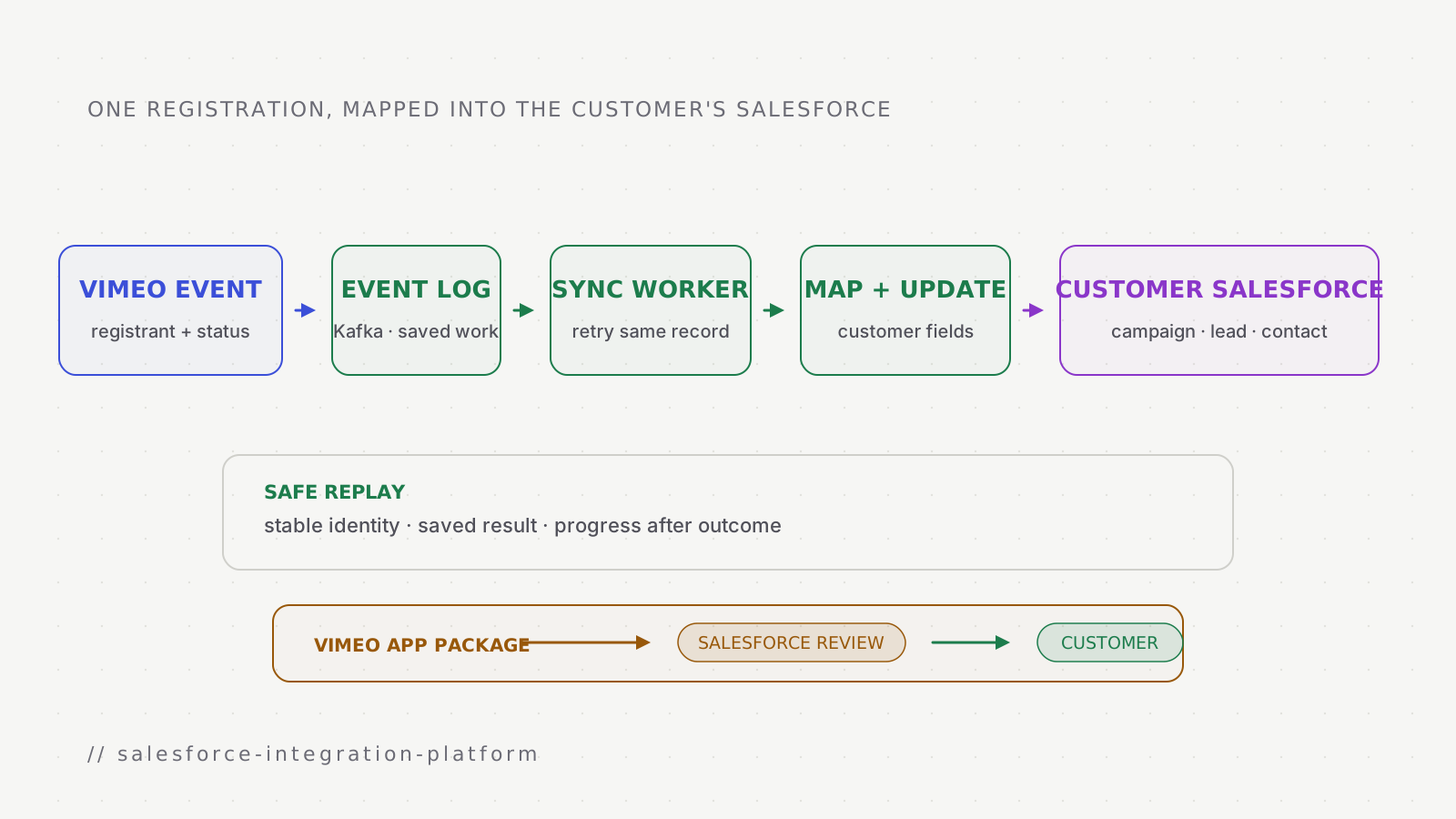
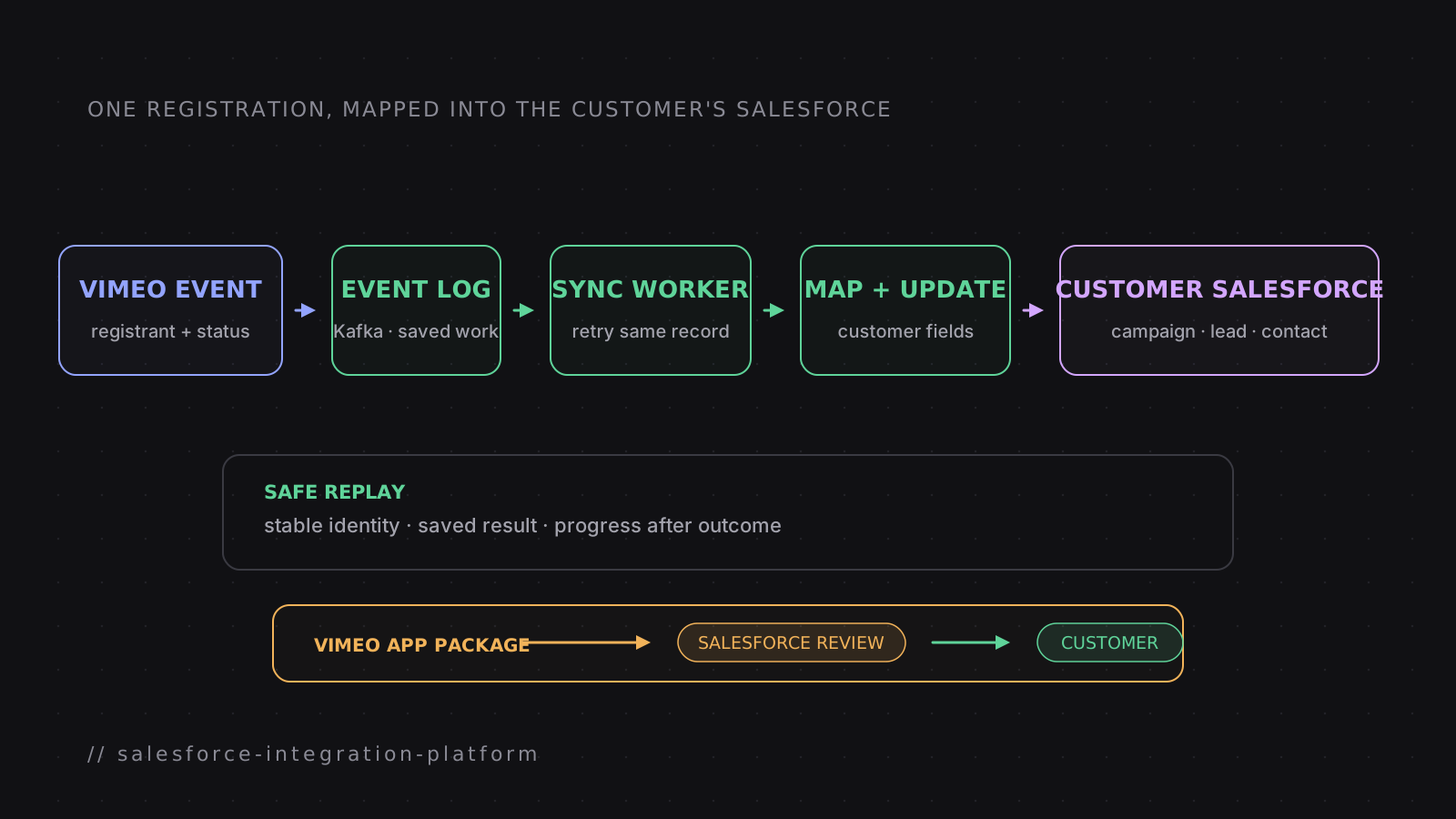
The customer problem
Vimeo webinars and videos can collect registrations and viewer activity. A registration says who signed up; viewer activity describes what that person later watched or did. Marketing and sales teams often need both in Salesforce, a customer relationship management system (CRM) where campaigns, leads, contacts, and follow-up work already live. A lead is a possible customer; a contact is a person already known to the business.
Salesforce exposes an API, the programmatic interface used to read and write its data. The customer authorizes that connection through OAuth: they sign in with Salesforce and grant specific access without giving Vimeo their password.
Vimeo's public Help Center describes the visible result: registration data, lead data, and viewer-level analytics can move between Vimeo and Salesforce Sales Cloud. Delivering that result across customer-owned Salesforce organizations, usually shortened to orgs, means handling different data structures, permissions, field mappings, API limits, and installed app versions. An org is one customer's isolated Salesforce environment; its objects, fields, and rules can differ from another customer's.
The same product behavior had to work across many Salesforce orgs without a custom implementation for each customer.
Six ideas used in the rest of the story
Campaign
A Salesforce record that groups the people and activity connected to one marketing effort, such as a webinar.
Objects, fields, and mapping
An object is a kind of Salesforce record; a field is one value on it. Mapping decides where each Vimeo value belongs.
Upsert
Create a record when it is new, or update the existing record when the same business identity is seen again.
Kafka, consumer, and offset
Kafka stores replayable sync work and may deliver it more than once. A consumer processes it, and its offset records how far that worker has completed.
Idempotency
A retry for the same registration or activity updates the same Salesforce record instead of creating a duplicate.
Managed package
A versioned bundle of Salesforce app metadata that a customer can install in their org. A new release creates a new package version.
My role
I was the lead engineer for this work on Vimeo's integrations team. I led the technical discussions, wrote the design, planned the implementation, and coded with the team. I also owned the path outside the codebase: discussions with Salesforce during review, the resulting fixes, customer onboarding, and production support.
My path through the project
Decide what moves where
Defined which Vimeo event and viewer records had to become which Salesforce records, including customer-configurable mappings.
Design a reusable sync path
Separated Salesforce authorization, field mapping, background sync, and failure handling so the same responsibilities could support other CRM connections.
Ship the Salesforce package
Owned the managed-package work and the review discussions with Salesforce, then made the required follow-up changes.
Bring customers onto it
Supported onboarding, monitoring, on-call issues, and production reliability after release.
Follow one registration
How to read the diagrams
- Vimeo event and viewer data
- Durable or completed sync progress, including Kafka and its consumers
- The customer's Salesforce org and its objects and fields
- A release or administrator-controlled boundary
- A record that cannot move safely
Vimeo
Registration1
person · event · status
Viewer activity
views · finishes · interactions
CRM integration
Authorized connection2
customer grants access
Kafka event3
registration or viewer activity
Mapping4
Vimeo fields → org fields
Sync consumer5
stable key · retry history
Customer Salesforce org
Campaign context6
event association
Lead or contact7
mapped fields and status
One registration sync
- registrationVimeo event → Kafka
Publish an eligible record
event · registrant · status · stable business key
- deliveryKafka → Sync consumer
Deliver to a sync consumer
at least once
- prepareSync consumer → Mapping
Resolve the customer's mapping
campaign, object, and field choices
- writeMapping → Salesforce org
Create or update the Salesforce record
stable external identity
- responseSalesforce org → Sync consumer
Success, rate limit, permission, or validation result
- durable resultSync consumer → Kafka
Commit the consumed offset
after outcome and Salesforce record identity are stored
The stable identity matters because a background sync can be retried after a timeout. A second attempt should update the same Salesforce record, even when the first write succeeded and its response was lost. Field validation belongs before the write where possible; Salesforce errors are still preserved in terms an administrator can act on.
- failure point
- Vimeo cannot hand the sync event to Kafka
- what happens
- No consumer can see the work
- safe response
- Keep the source record eligible and publish again
- failure point
- Consumer fails before the Salesforce request
- what happens
- Kafka redelivers after the consumer recovers
- safe response
- Run the same business key again
- failure point
- Salesforce succeeds but the response is lost
- what happens
- The consumer cannot tell whether the write happened
- safe response
- Look up or upsert by the stable business identity
- failure point
- Consumer stores success but crashes before offset commit
- what happens
- Kafka delivers the record again
- safe response
- Read the stored Salesforce record identity and finish without a second record
- failure point
- Validation or permission fails
- what happens
- Repeating the same request cannot repair it
- safe response
- Stop automatic retries and name the customer action
Configuration belongs at the boundary
Customer orgs do not share one universal Salesforce schema. The integration therefore needs configuration for the places where orgs legitimately differ, while keeping execution behavior consistent.
- concern
- Destination
- varies by customer
- Campaign and object choices
- shared behavior
- Validate the selected destination before syncing
- concern
- Fields
- varies by customer
- Which Vimeo value maps to which Salesforce field
- shared behavior
- Apply and version the mapping consistently
- concern
- Permissions
- varies by customer
- What the connected Salesforce user may read or write
- shared behavior
- Classify permission failures as customer action
- concern
- API budget
- varies by customer
- Limits and current usage in the org
- shared behavior
- Respect Salesforce responses and retry without duplicating records
- concern
- Record shape
- varies by customer
- Required fields and validation rules
- shared behavior
- Keep rejected records visible with Salesforce's reason
This split kept customer-specific choices out of Salesforce execution. It also made each failure easier to place: connection, package, mapping, Kafka delivery, or the Salesforce write.
Shipping inside Salesforce
The integration also needed assets inside the customer's org. Those assets included the authorization app, custom objects, and custom fields. They were released together as a second-generation managed package. Salesforce documents each package version as fixed after release, which means a metadata change becomes a new version rather than an in-place edit.
From package source to a supported customer
Build the package
Package the authorization app, custom objects, custom fields, and the remaining Salesforce metadata as one versioned artifact.
Work through Salesforce review
Own the technical discussions with Salesforce and make the follow-up fixes that came from them.
Receive approval
Release the approved package for customer installation.
Onboard and support
Help customers adopt it and own the production issues that followed.
Owning this path mattered because package review and customer installation are part of delivery. The sync path can be healthy while an org has an old package version, a missing permission, or a field mapping that no longer matches its schema.
Failure states must name the owner
- outcome
- Salesforce throttled the request
- next step
- Retry after Salesforce's limit allows it
- owner
- integration
- outcome
- connection can no longer refresh
- next step
- Ask the customer to reconnect
- owner
- customer administrator
- outcome
- mapped field is missing or invalid
- next step
- Return to mapping and validate again
- owner
- customer administrator
- outcome
- response was lost after a write
- next step
- Retry using the same external identity
- owner
- integration
- outcome
- record synced
- next step
- Store the Salesforce record identity and completion time
- owner
- integration
“Failed” is too broad to help either an operator or a customer. The product must distinguish a retryable Salesforce condition from a configuration problem that only the customer can resolve.