Start with the customer
An integration is a connection between Vimeo and another product. This case study calls that other product the provider. Dropbox, Salesforce, and Microsoft Teams are examples. A customer first needs to discover what the connection does, then authorize it, finish any setup, and return later when they want to change or repair it.
One integration is easy to understand in isolation. A catalog becomes harder to use when every provider has a different entry point, a different definition of “connected,” and a different place to fix problems.
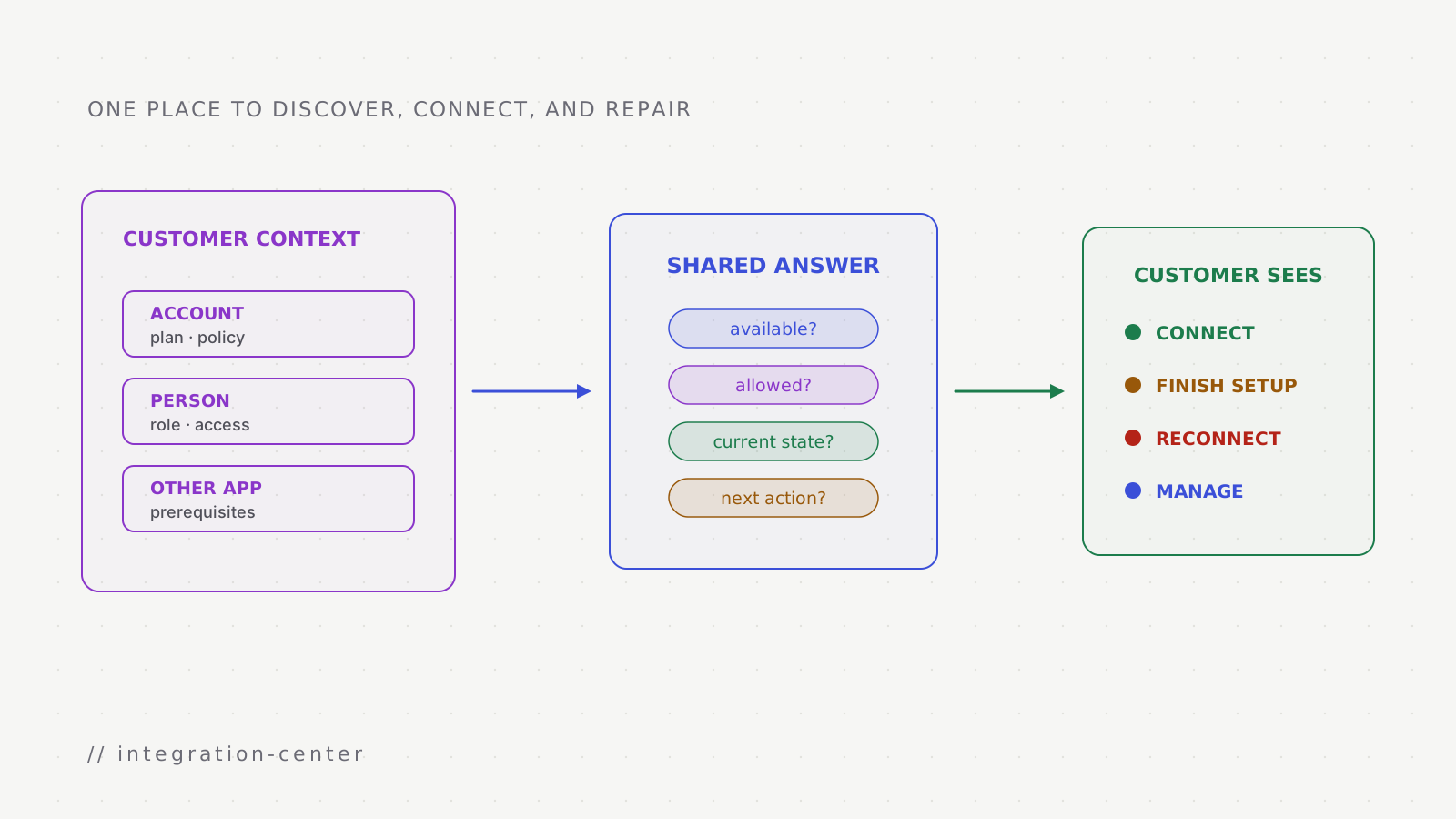
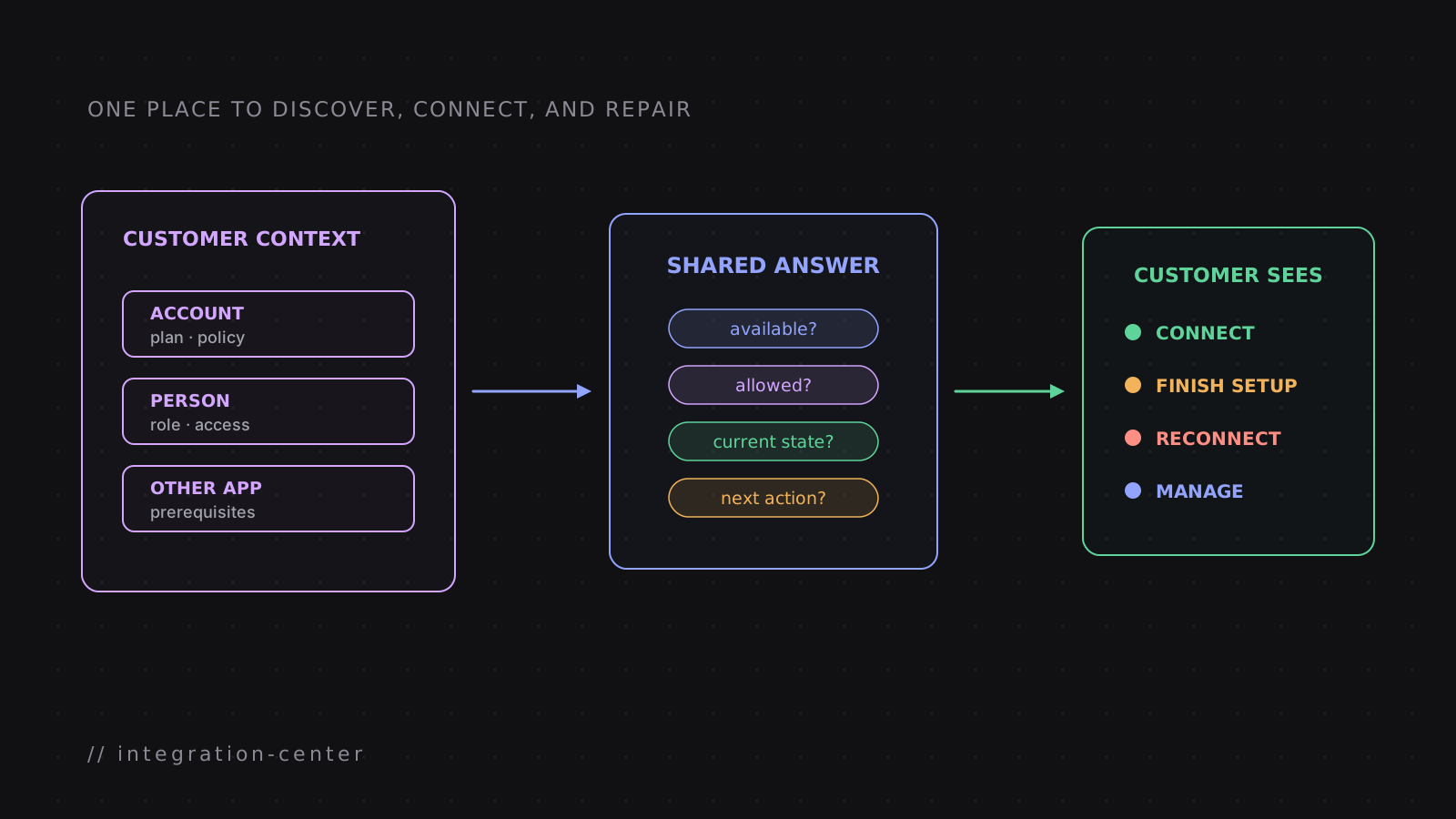
The Integrations Center gave customers one signed-in page for that work. Vimeo's public integrations hub helps people explore available providers. The center adds the account-specific questions. An account is the Vimeo workspace or organization in which the person is working. Can this person connect the app for that account? Is it already connected? Does it need attention? Where should an administrator go next?
For many apps, connection starts with OAuth. The customer signs in on the provider's own page and grants specific access; Vimeo does not receive the customer's provider password. Some organization-wide integrations also need an administrator's consent before individual people can use them.
My role
I led the technical work with Vimeo's integrations team. I worked from the product requirements through design, implementation, rollout, and production issues.
What I owned
Define the shared customer journey
Turned many provider-specific screens into common discover, connect, manage, and disconnect actions.
Make state and permission explicit
Designed how account context, user role, prerequisites, and connection health shape what the customer can do.
Fit integrations into one model
Applied the shared availability, permission, connection, and recovery questions to each provider experience.
Ship and operate
Implemented with the team, supported rollout, and followed production behavior into reliability fixes.
One page, two jobs
The center has to support discovery and management without mixing them up. Discovery answers what an integration does. Management answers what is true for this account now.
One customer journey through the center
Search or browse
purpose · prerequisites · account availability
Choose Connect
Request the provider's permission
Authorization result
Ask for any missing destination or mapping
Review, repair, or disconnect later
How to read the diagrams
- The shared Integrations Center experience
- The person and account context
- A healthy connection or available action
- A prerequisite or action still required
- A connection that needs attention
Customer context
Account1
plan · organization policy
Person2
role · existing provider access
Shared interpretation
Availability3
can this integration appear?
Permission4
what may this person do?
Connection state5
what happened and what comes next?
What the customer sees
Explore6
purpose · prerequisites
Manage7
status · settings · recovery
The page and the action have to agree. If the page says “Connect,” the server-side connection action must agree that the person is allowed to connect. If the connection needs customer action, the page must show that state rather than continuing to call it connected.
A connection needs more than yes or no
“Connected” hides too many situations. Authorization may be in progress, consent may have been revoked, setup may be incomplete, or the connection may be healthy but unavailable to the current user.
A customer-visible connection lifecycle
Available
The integration is relevant to this account and the customer can read its prerequisites.
Connecting
Authorization has started, but the provider or an administrator still has work to complete.
Needs setup
Authorization succeeded; the customer still needs to choose required mappings or destinations.
Active
The connection is usable and its management actions are available to the right role.
Needs attention
A revoked permission, expired stored proof of access, or provider error requires a named recovery action.
Disconnected
The provider permission is removed and new integration work stops.
This vocabulary does not force every provider to behave identically. A Teams connection may need organization-level consent; a personal social connection may need only one user's OAuth permission. The shared states describe what the customer can understand and do at each point.
What belongs in the shared model
- question
- Who owns the connection?
- example answer
- A person, a workspace, or the organization
- why the center needs it
- Management actions must appear in the right account context.
- question
- Who may connect it?
- example answer
- A member, account owner, or organization administrator
- why the center needs it
- A visible button must not lead to a permission dead end.
- question
- What is required first?
- example answer
- Provider account, plan, admin consent, or destination choice
- why the center needs it
- Customers need prerequisites before leaving for OAuth.
- question
- What is its current state?
- example answer
- Connecting, active, needs setup, or needs attention
- why the center needs it
- The next action depends on more than whether stored access exists.
- question
- How is it removed?
- example answer
- Revoke provider access and stop future work
- why the center needs it
- Disconnect behavior should be predictable across providers.
Provider-specific details still exist, but they enter through this common vocabulary. That is what makes a new integration feel native to the product without copying another settings page and its permission logic.
The UI should explain the next action
Customer sees
Connect
- Because
- The integration is available, prerequisites are met, and this role may start authorization
- Next
- Begin the provider's connection flow
Customer sees
Ask an administrator
- Because
- The integration is available, but this role cannot grant the required permission
- Next
- Send the customer to the role that can complete setup
Customer sees
Finish setup
- Because
- Authorization succeeded but a destination or mapping is still missing
- Next
- Complete the provider-specific configuration
Customer sees
Reconnect
- Because
- The provider permission can no longer be used
- Next
- Repeat authorization without losing the customer's saved configuration
These cards are examples of the message and next action a customer needs in each condition. They are not screenshots or verbatim production copy.
A catalog is easy to make clear while every connection is healthy. The harder test is a broken connection: the customer should see who owns it, why it stopped, and the one action that can repair it.