Start with the event producer
A producer, the person running the event, prepares a Vimeo live event. That event might be a webinar with registration and audience interaction, or another live broadcast. The producer can also choose destinations such as YouTube, LinkedIn, Facebook, or a custom streaming address. When the Vimeo event starts, the same program reaches those audiences at the same time.
Sending one live program to several destinations at once is called simulcasting. Vimeo's public Help Center describes this experience. The engineering work is in translating one producer action into several platform setup and live states without hiding which destination is ready, late, or rejected.
Why live distribution changes the design
An ordinary, non-live data update can retry minutes later. A live event cannot recover the opening after it has passed. Setup therefore happens before the producer presses Go live, and live health stays specific to each destination.
Each destination platform also has its own language. Authorization means what that platform allows Vimeo to do. A YouTube channel, a LinkedIn member or company page, a Facebook destination, and a custom streaming server do not share the same authorization, scheduling, visibility, or broadcast-creation steps.
Five ideas used in the rest of the story
Live event and webinar
The Vimeo event is the producer's main event. A webinar is one kind of live event, usually organized around a scheduled audience experience.
Destination
Another place where the audience can watch, such as a YouTube channel, LinkedIn page, Facebook destination, or customer-supplied streaming server.
RTMP
A common protocol for sending live audio and video to a streaming server. A custom RTMP destination supplies the address and stream credentials.
Preflight
The checks performed before the opening frame: authorization, destination choice, schedule, and whether the receiving platform is ready.
API
The programmatic interface Vimeo uses to prepare and control a destination. YouTube, LinkedIn, and Facebook each expose different operations and rules.
My role
I led the technical work on Vimeo's integrations team. I took the product requirements through design and planning, built with the team, coordinated the destination-specific work, and stayed responsible through release, customer onboarding, monitoring, and production issues.
What I owned
Define one producer workflow
Specified how destination connection, selection, scheduling, readiness, start, stop, and errors should appear around one Vimeo event.
Design the destination boundary
Kept destination-specific broadcast setup behind a common set of lifecycle actions and states.
Build and release
Implemented with the team and coordinated the external-platform details needed for launch.
Operate live behavior
Owned monitoring and production debugging where destination timing and platform failures were customer-visible immediately.
One event, several broadcasts
How to read the diagrams
- The Vimeo event and producer action
- Shared coordination and a healthy destination state
- Destination-specific setup
- RTMP media distribution
- A destination-specific failure
Producer
Vimeo live event1
schedule · privacy · start · stop
Social streaming
Preflight2
connection · permission · destination
Broadcast setup3
destination-specific lifecycle
Live state4
ready · live · ended · failed
Destinations
YouTube Live5
LinkedIn Live5
Facebook Live5
Custom RTMP5
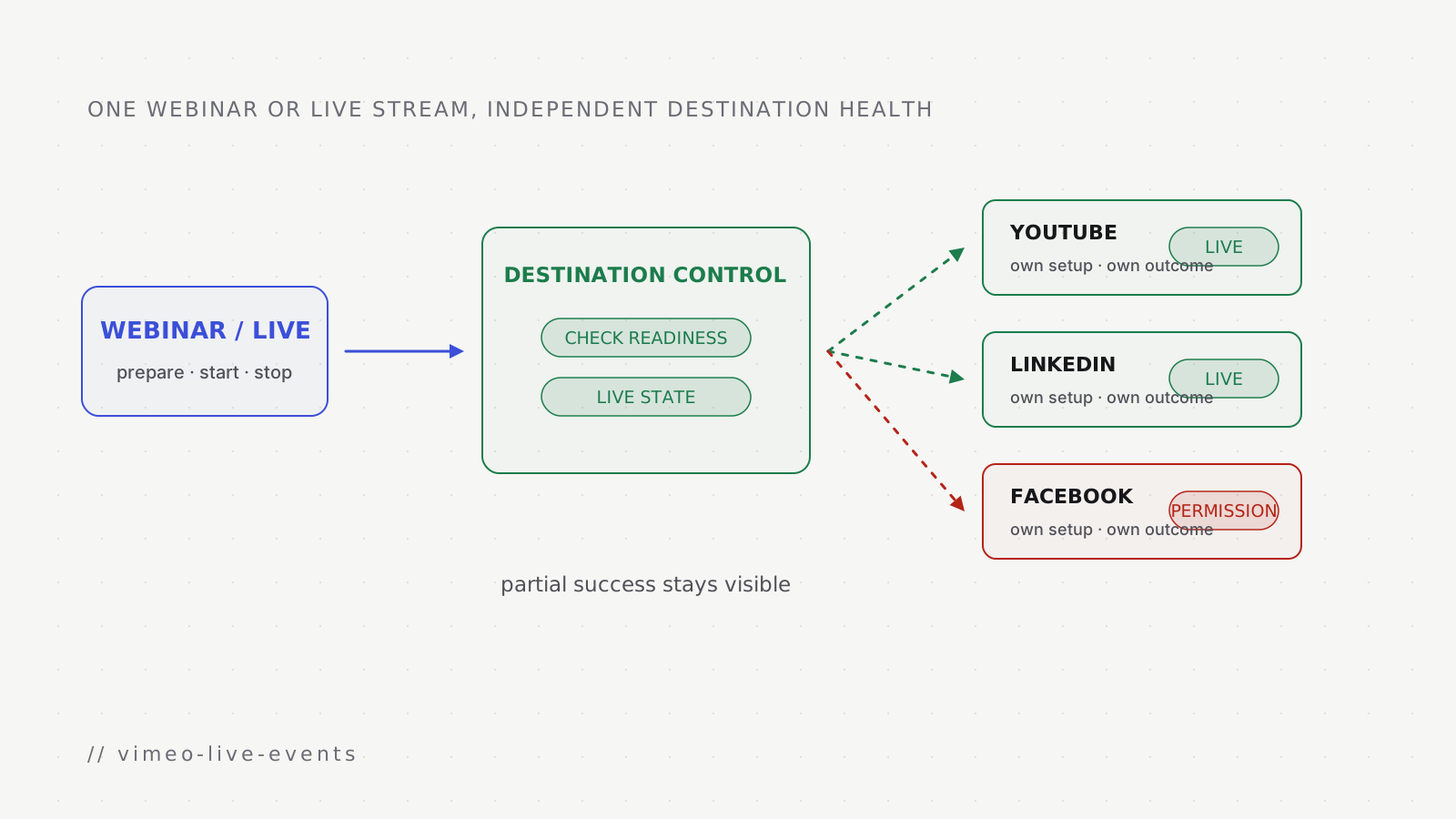
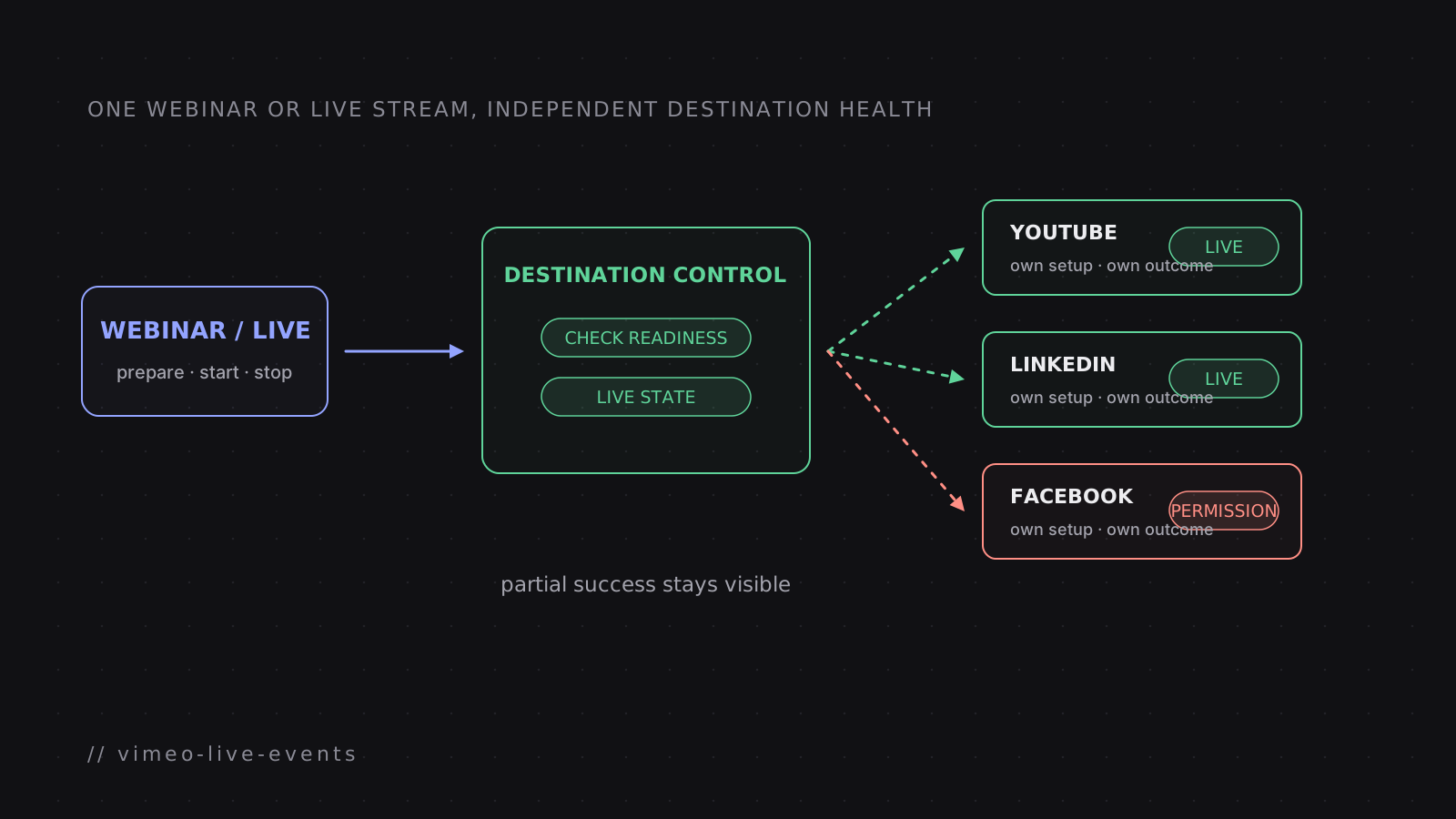
The shared boundary covers the operations the event product needs: prepare a destination, expose where to send media, start or publish when required, report state, and stop cleanly. Each destination platform implements those operations through its own API sequence.
What varies by destination
- destination
- YouTube Live
- identity and destination
- Authorized channel
- setup before media flows
- Prepare the broadcast and its stream target
- state to surface
- Created, ready, live, complete, or platform error
- destination
- LinkedIn Live
- identity and destination
- Member or organization page
- setup before media flows
- Prepare the live asset and associated post or scheduled event
- state to surface
- Permission, schedule, readiness, and publication state
- destination
- Facebook Live
- identity and destination
- Authorized profile or page
- setup before media flows
- Create the destination broadcast under the selected identity
- state to surface
- Permission, readiness, live, ended, or platform error
- destination
- Custom RTMP
- identity and destination
- Customer-supplied streaming address
- setup before media flows
- Validate and store the destination
- state to surface
- Configured, sending, stopped, or connection error
Destination APIs change, while the producer still needs the same answers: Where will this stream appear? Is the destination ready? Is it receiving media? If it failed, which account or permission needs attention?
Preflight before the opening frame
Preparing and starting one simulcast
- setupProducer → Vimeo event
Select a connected destination
- preflightVimeo event → Destination coordinator
Check connection, permission, and schedule
- prepareDestination coordinator → Destination platform
Create or resolve destination broadcast
- prepareDestination platform → Destination coordinator
Return stream address and readiness
- go liveProducer → Vimeo event
Start the Vimeo event
- go liveDestination coordinator → Destination platform
Start or publish this destination
- during eventDestination platform → Destination coordinator
Report destination-specific state
Partial success is a normal result
Starting several destinations is not one all-or-nothing operation. YouTube can be live while LinkedIn rejects a permission and a custom RTMP server times out. Stopping the healthy broadcast would make the incident worse.
- condition
- One platform is slow during setup
- behavior
- Give that destination its own timeout
- producer sees
- Other destinations remain ready
- condition
- One platform rejects start
- behavior
- Keep healthy destinations running
- producer sees
- The failed destination and reason
- condition
- A destination stops receiving media
- behavior
- Update only that destination's live state
- producer sees
- Where the audience is affected
- condition
- The producer ends the event
- behavior
- Stop every active destination and record each result
- producer sees
- Which destinations ended cleanly
The health view follows the same rule. Overall event health is useful, but it cannot replace destination health. During a live incident, the producer needs to know which audience is affected and whether any action can still help.